![vintory Logo_web_res.png]](https://help.vintory.com/hs-fs/hubfs/vintory%20Logo_web_res.png?height=40&name=vintory%20Logo_web_res.png)
Updated: April 29, 2026
We’ve introduced a dedicated Forecast tab inside Opportunities to help you track, predict, and improve your pipeline performance using expected close dates and probability-based forecasting!
-
Forecast Timeline: track deals across time (Week / Month / Quarter)
- How to use
- Tips
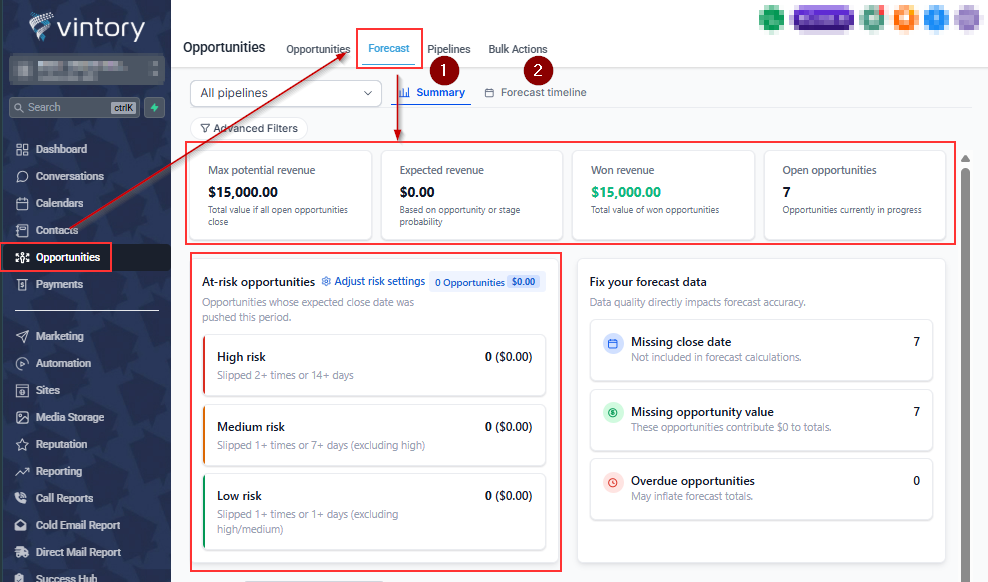
Summary Dashboard
The summary dashboard includes:
-
Max potential revenue
-
Expected revenue
-
Won revenue and
-
Open opportunities
Risk Settings
At-risk opportunities are deals whose expected close date has been pushed out and are labeled as High, Medium, or Low risk based on how much they’ve slipped. You can customize these risk thresholds in your settings.
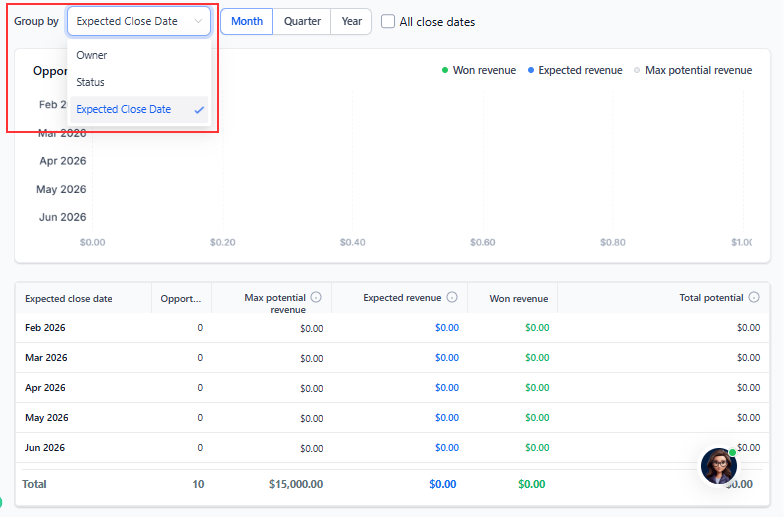
Group
Here you can group the opportunities based on Owner, status or expected close date
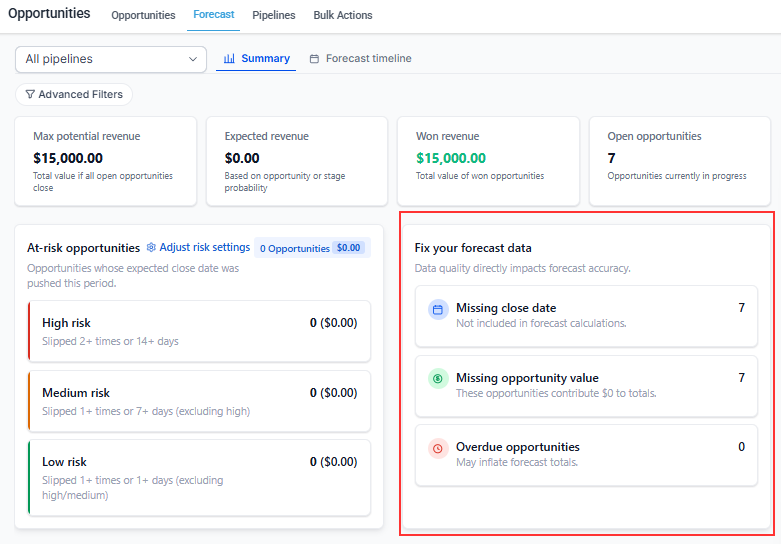
Fixing Forecast Data
Use the tabs to drill down, review, and update opportunities, including missing values, close dates, and overdue opportunities.
How to use:
-
Go to Opportunities → Forecast
-
Use Summary to understand overall pipeline health
-
Switch to Forecast Timeline to track deals over time
-
Adjust time view (Week / Month / Quarter)
- Apply filters to segment your data
- Click on any metric (like “Missing close date”) to drill down
- Drag and drop opportunities to the right month to update closed date
- Customize risk settings to match your sales cycle
Pro Tips
- Always fill Opportunity Value and Expected Close Date
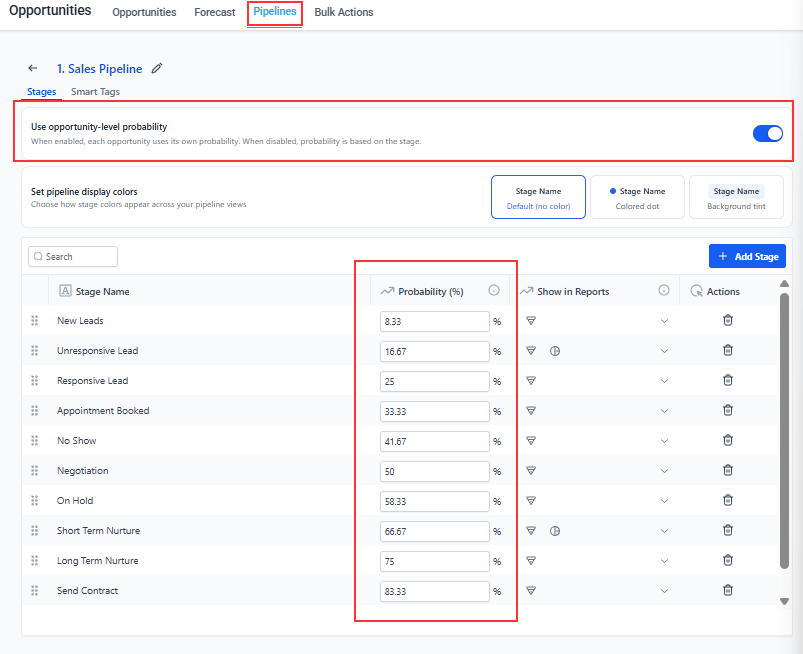
- Use probability overrides for better accuracy
- Opportunities > Pipelines > Select the Pipeline and Edit > Enable Probability Overrides
- When enabled, each opportunity uses its own probability. When disabled, probability is based on the stage.
- Probability is the likelihood that an opportunity will be marked as won.
- When enabled, each opportunity uses its own probability. When disabled, probability is based on the stage.
- Opportunities > Pipelines > Select the Pipeline and Edit > Enable Probability Overrides
- Review data hygiene (fixing forecast) cards regularly
- Tune risk settings based on your deal cycle
- Deals without close dates are excluded from forecast calculations